
Overview
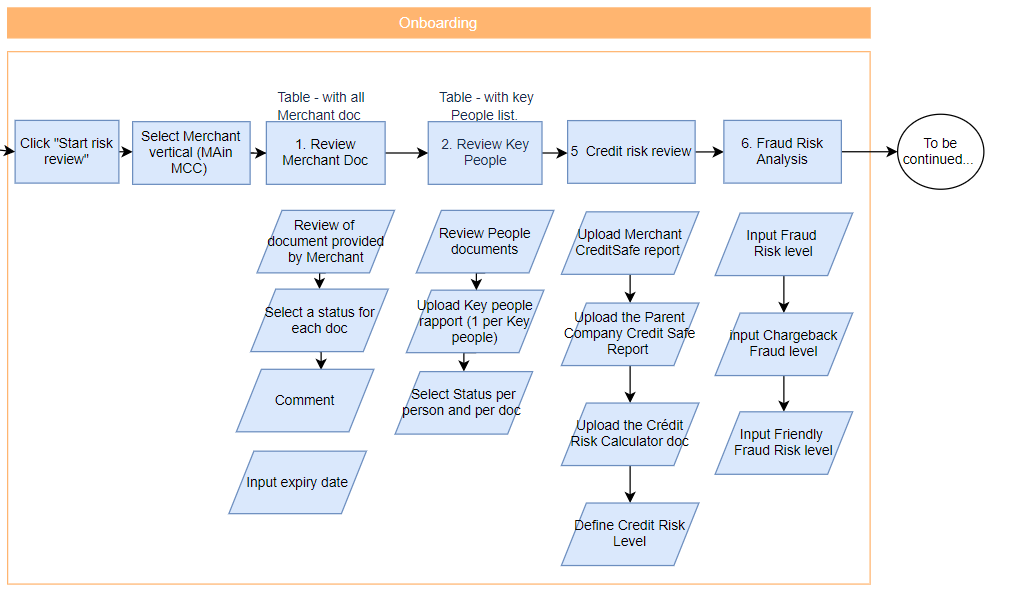
How to...
Review the merchant documents
The third block of the verification notice is the block Merchant documents:
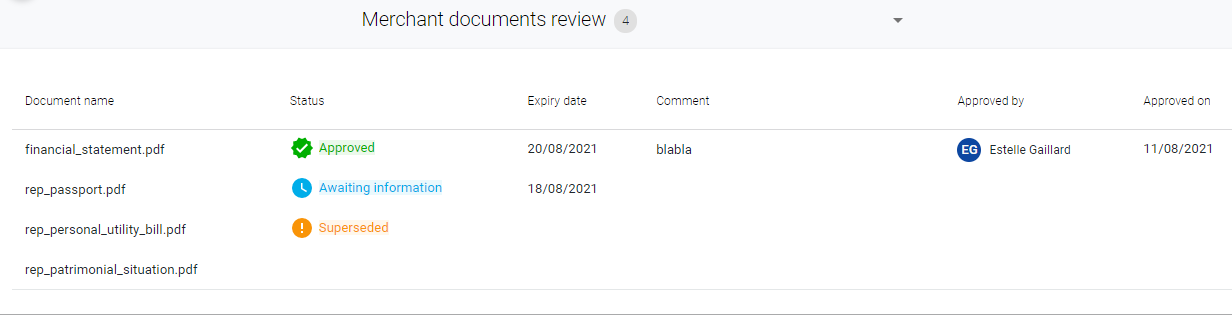
The document name corresponds to the name of the upload field on the merchant side. So, it is easier to spot what is missing.
The columns Status, Expiry date and Comment will be populated with what you input on the analysis screen.
Approved by/on columns are completed only if the document status is approved
To analyse the documents, click on a line of the table. You will open this window where:
- The left side is for document visualisation
- The right side is for analysis and decision making
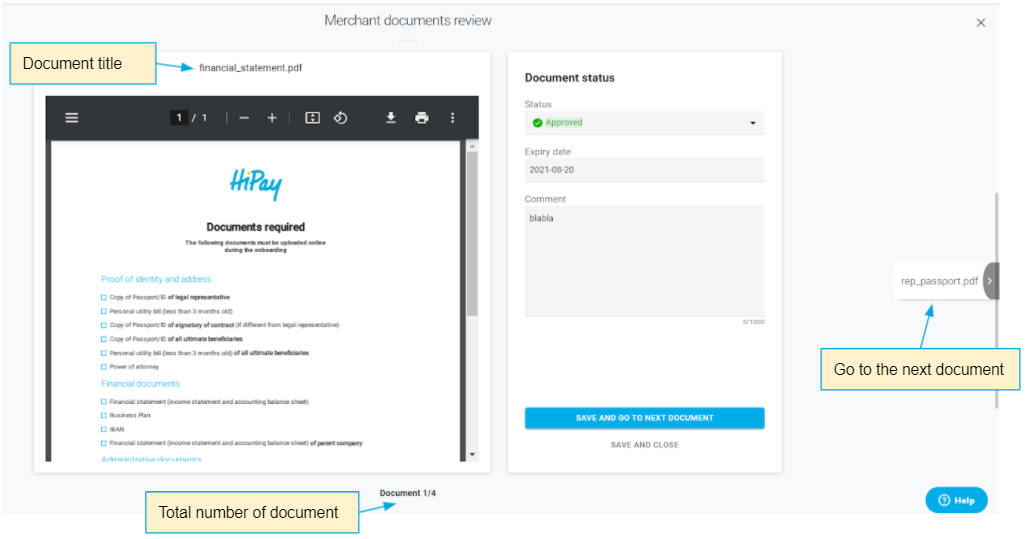
Status available are: Approved, rejected, awaiting information and superseded
No fields are mandatory to save and close.
For now, those status are for internal reference only. Documents rejected are not communicated to the merchant side.
Review the key People
Below the table Merchant documents is the table Key People review.
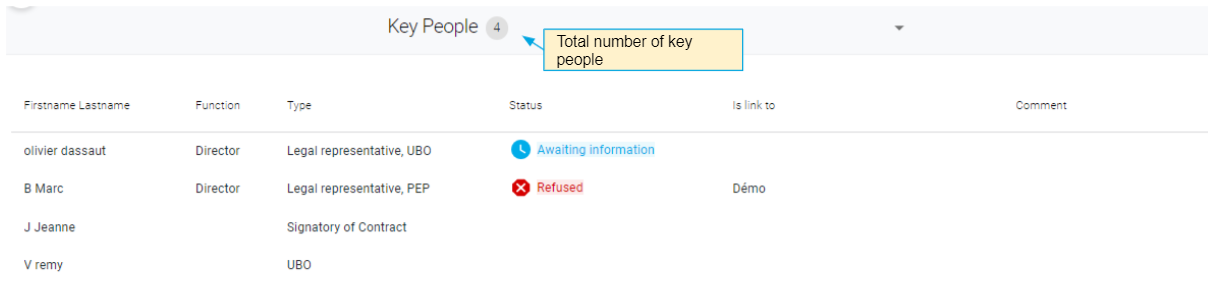
The column function [c]corresponds to the position of the person in the company.
The type shows the quality: UBO, Signatory, PEP…
The column is linked to will tell you if this person is linked to another business in HiPay.
The columns Status and Comment will be populated with your inputs in the analysis screen.
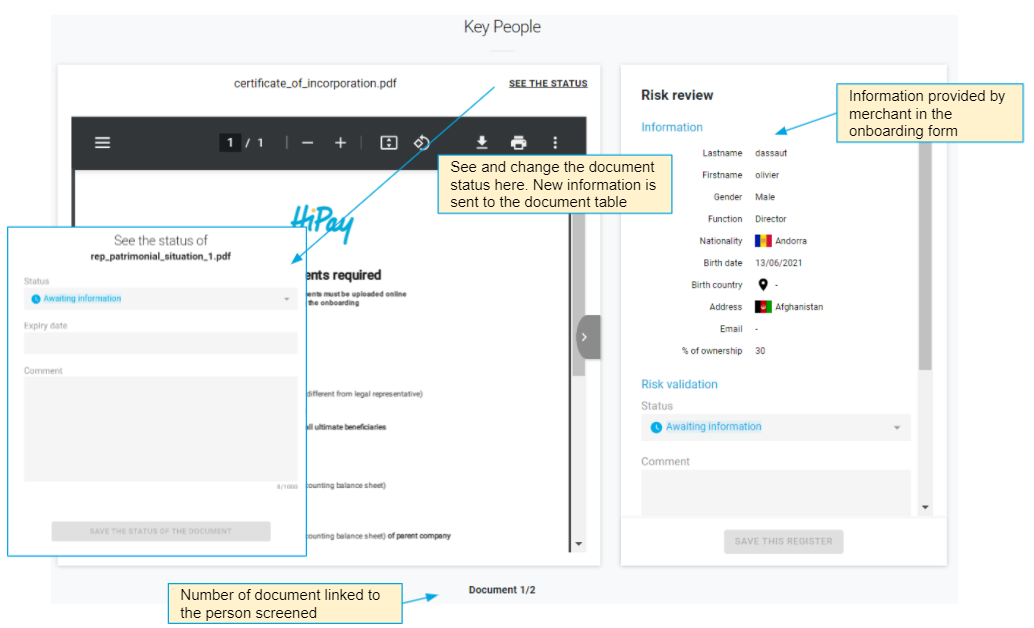
To screen a person, click on a line of the table. You will open this window where:
- the left part is for document visualisation. You can view all documents associated to a person here
- The right part is for analysis and decision making. The information part is showing information from the onboarding form. Below, upload fields are for the Onboarding Analyst to provide reports and to document his decision
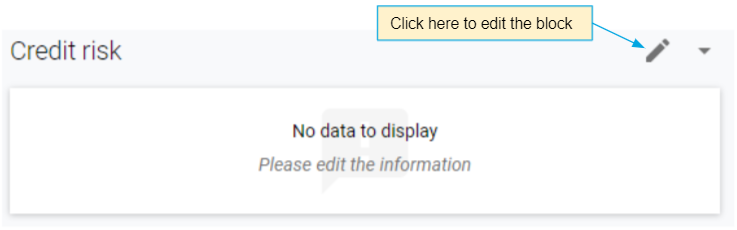
Input the Credit Risk
This block has 2 modes: Edition mode (for OBTeam and Risk team) and Read only mode (for all other teams). The block is empty until an internal user completes it.
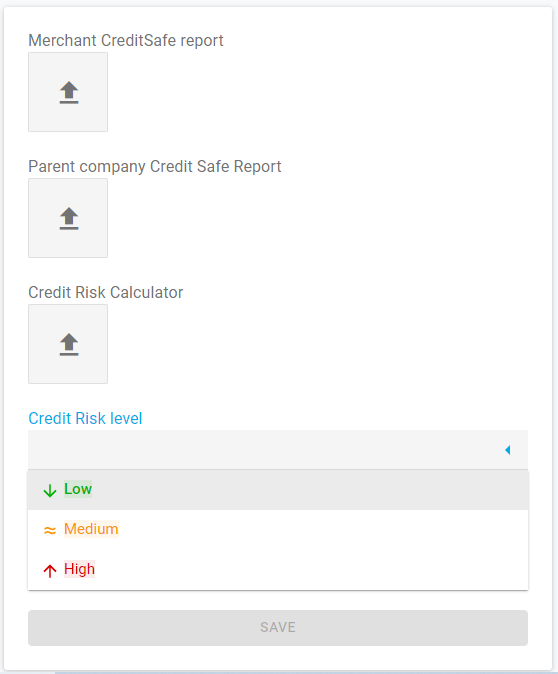
In Edit mode, only the field “Credit Risk Level” is mandatory.
When you click on Save, you will exit the window automatically.
The field Credit Risk level feeds a KPI in the header of the verification page 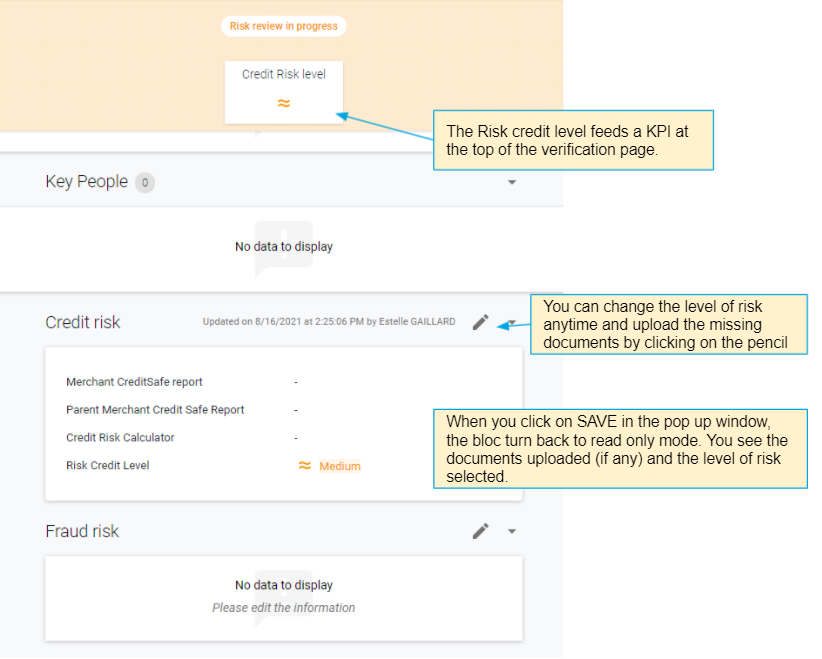
Input the Fraud Risk
Exactly like the Credit Risk bloc, the fraud Risk block has 2 modes: Edition mode (for OBTeam and Risk team) and Read only mode (for all other teams). The block is empty until an internal user completes it.
In edition mode, this block contains only 2 fields. The field Fraud risk level feeds the KPI “Fraud Risk” on the verification notice[d].
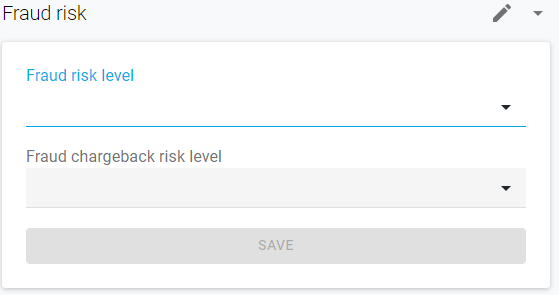
You have only 3 options for the level of risk: Low, medium and high.
Comments
0 comments
Please sign in to leave a comment.